Your crew's hours, schedule and safety forms. In one app they'll actually use.
Crewbook Pro is made for trade companies in BC. Crew clock in on their phone, even with no signal. Foremen do the FLHA on site. The office gets signed hours without chasing anyone.
14 days free. Your card is only charged after the trial ends, and you can cancel any time. Sign-ups opening soon · Closed beta access only
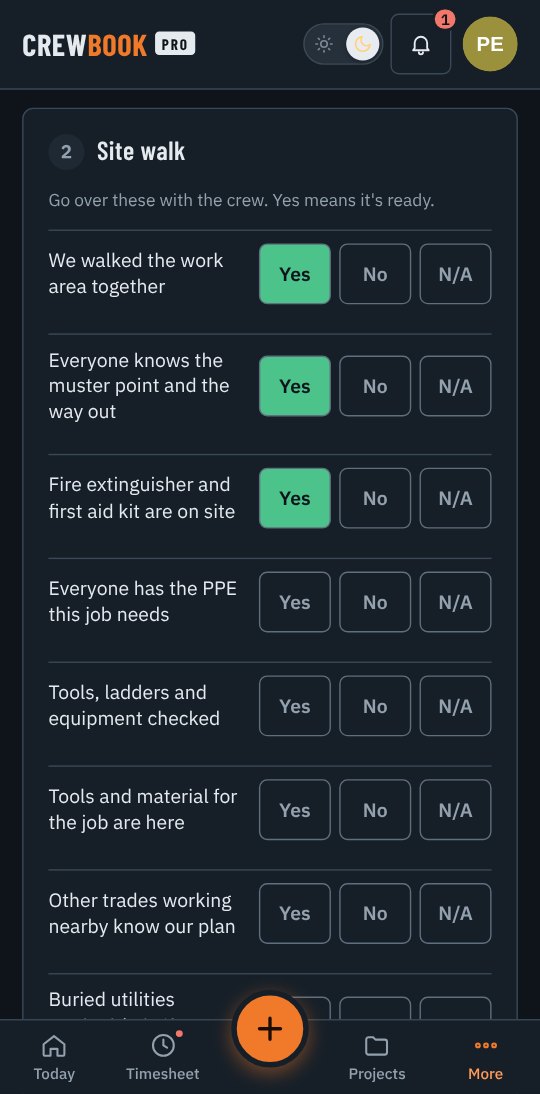
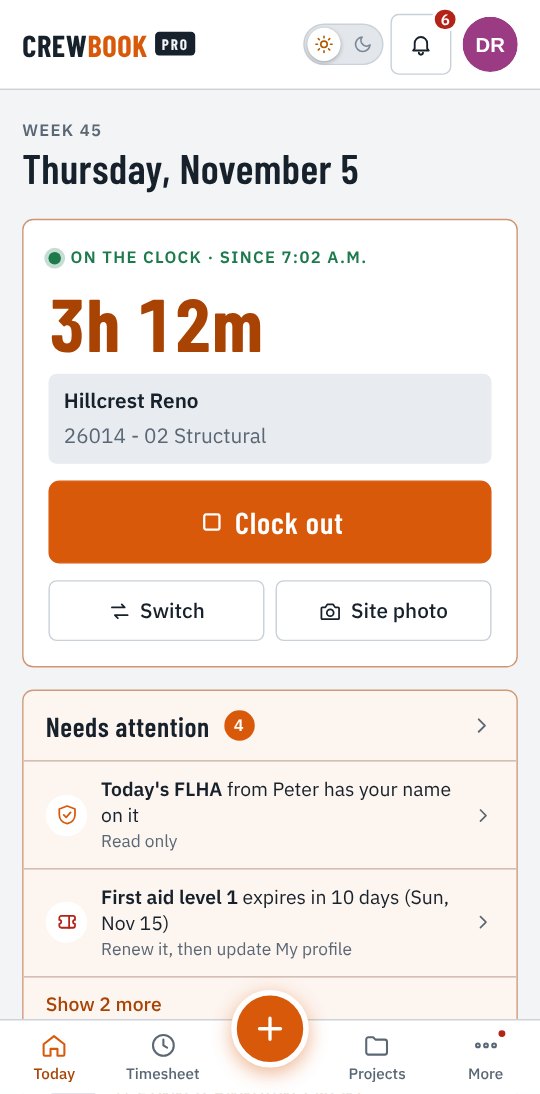
Everything a crew does in a day, on one phone
Crewbook Pro sticks to the work your crew actually does, in the words your trade uses, and you can change almost all of it.
Clock in, even in a basement
Clock in and out by job and area. No signal? It saves on the phone and sends when you're back up. Hours round to the quarter hour.
FLHAs and safety forms
18 ready-made safety forms: FLHA, toolbox talk, hot work, ladders, lifts, incidents. Signed with a finger and sent to the office as a PDF.
Signed hours sheets
The GC's super signs the hours on your phone. A clean PDF goes to the office, ready for billing.
Who's where this week
Plan the week in a few taps: pick the days, add your crew and put each person on a job. Everyone sees their own week on their home screen.
Warnings before tickets expire
First aid, fall protection, lift tickets. Crewbook warns the person and the office 30 and 14 days before they run out.
Hours sent to the office automatically
Set up automatic hand-ins based on your pay periods, or pick your own times and dates. Approved hours go to the office as PDF, Excel or CSV.
Almost everything can be changed to fit your company
Start from your trade's template, then make it yours in Company Setup.
- Position names and roles
- Bill rates for each role
- Your words: jobs, contracts, areas, phases, clients
- Starter list for new jobs
- Completion checklists
- Which tools you use: schedules, approvals, hand-ins, billing
- Who's a foreman or admin
- Pay periods
- Office emails and file type
- Location at clock in and out
Running by tomorrow morning
Start your company
Pick your trade. Crewbook sets up your roles, your words ("jobs" or "contracts") and your safety forms.
Pick your settings
A one-time setup that takes about 5 to 15 minutes, depending on which services you want to use.
Send the crew a link
Text them the invite link. They make an account, and you approve them on the Crew page.
Clock in on site
Crew clock in on their phones. You see who's on which job, and the hours land on the timesheet.
Pay per person, month to month
One price for each active person in your company, billed monthly. Pick the tier that fits how you work. Prices in Canadian dollars, plus tax.
Core
The essentials for a crew
- What's included is being finalized
Pro
More features and storage
- What's included is being finalized
Max
Everything, with unlimited storage
- What's included is being finalized
- Unlimited storage, within fair use
Try it first. Pay when it's working.
- Pick a planAny button on this page starts the trial on that plan.
- Make your account and companyConfirm your email with a code, then add your company name and trade.
- Add your card or bank accountIn Stripe's secure form, right on the page. You aren't charged until the trial ends.
- Use it free for 14 daysBring the crew on. A reminder goes out 3 days before the trial ends. Cancel before the trial ends to avoid being charged.
- If payment stopsNothing is deleted because a payment stopped. You have 7 days to update your payment. After that, the app becomes read-only, and running shifts can still clock out.
What owners ask first
How does my crew get Crewbook?
The company buys the subscription. Your crew open Crewbook on their phone and join with your invite link. Apps for Google Play and the App Store are on the way. Questions? Email developer@crewbookpro.ca.
Where is our information kept?
Your crew, jobs and hours are stored in a database in Canada. Each company only ever sees its own information. Some services we use, like email delivery, may process information outside Canada.
What if a site has no cell signal?
Clock in, clock out and safety forms save on the phone and send as soon as there's signal again.
What happens as the crew grows?
Your bill follows your crew. Each month you pay for the people active on the bill date, and you can move between Core, Pro and Max on the Crewbook website. Changing tiers never deletes anything.
Stop chasing timesheets on Friday
Request beta access today. Your crew could be clocking in this week.
Start free today. Your crew can be clocking in tomorrow.